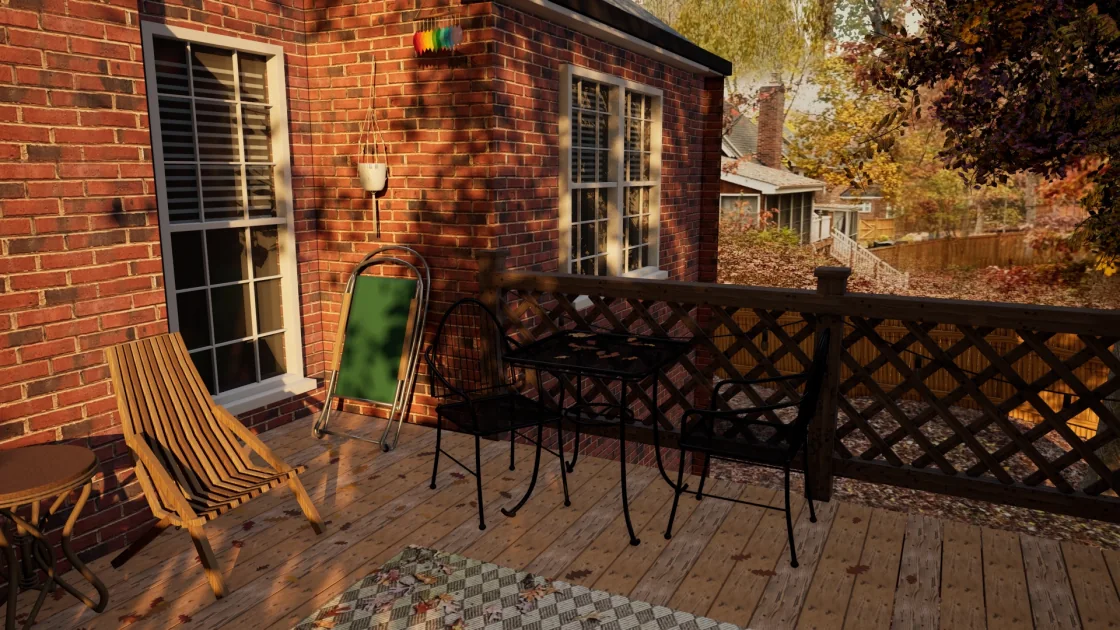
I started with the porch as a pilot for a 3D reconstruction of the whole house and yard. I wanted to try different layouts before moving the furniture. The pilot used 198 iPhone photos to build a photographic 3D tour, an editable porch, and an Unreal scene where I can walk down the steps and look back toward the house.
I built the workflow around COLMAP, Brush, Blender and Unreal Engine. My work covered the scripts that connect each stage, model construction, texture handling, geometry checks and browser exports. The reconstruction and rendering ran on my own hardware.
I’ve published some of the tooling in Splat to Unreal, including scripts for exporting browser viewers and moving models from Blender into Unreal.
Watch the walkthrough
Reconstructing the porch
I started by preserving the original photos and making smaller working copies. The pipeline records file hashes and checks them before reusing a reconstruction, so a changed photo set cannot silently inherit the wrong camera alignment.
COLMAP registered all 198 photos into one reconstruction. It estimated a position and orientation for each shot and recovered roughly 184,000 sparse points from details shared across the images. Alignment and preparation took 5 minutes and 22 seconds.
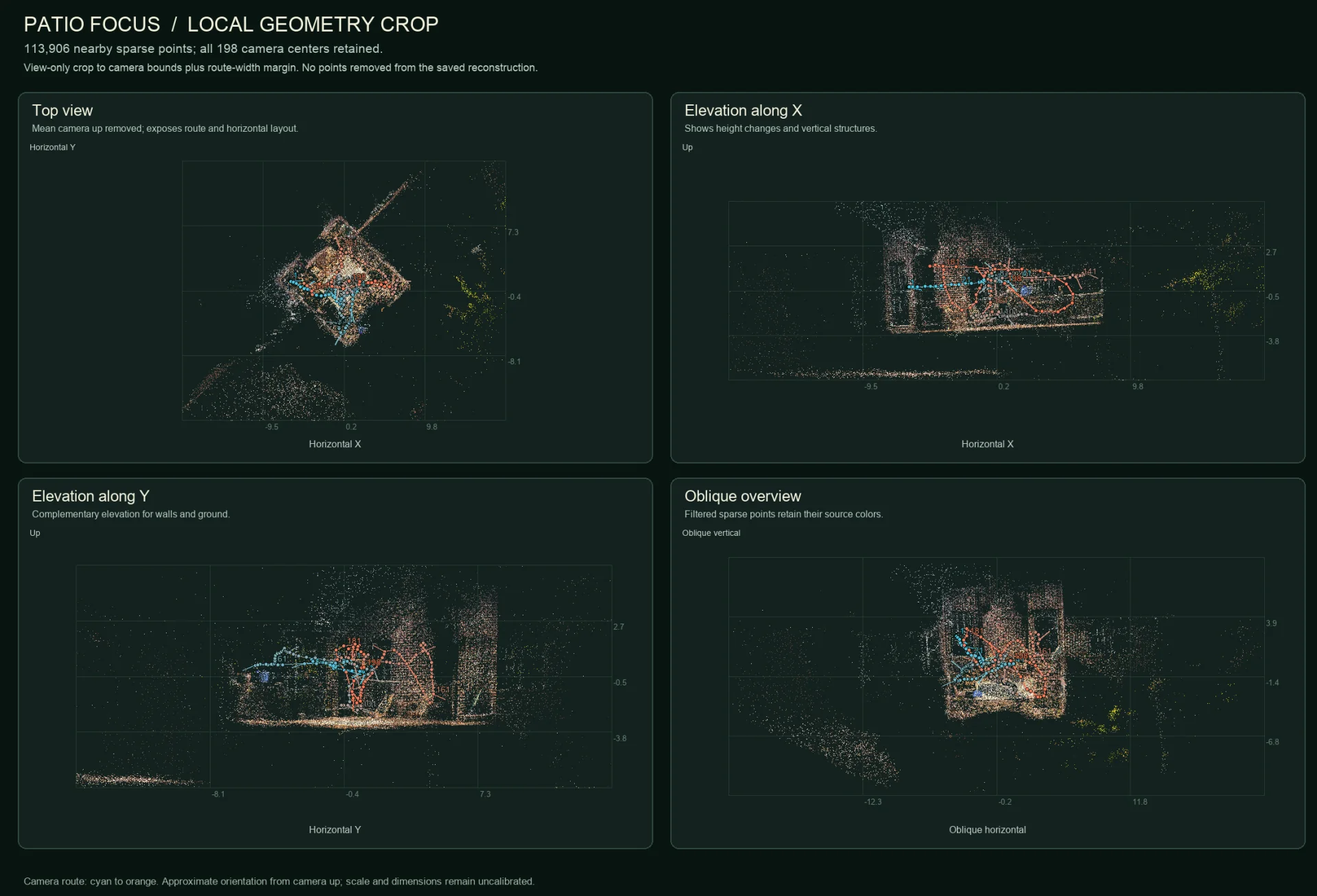
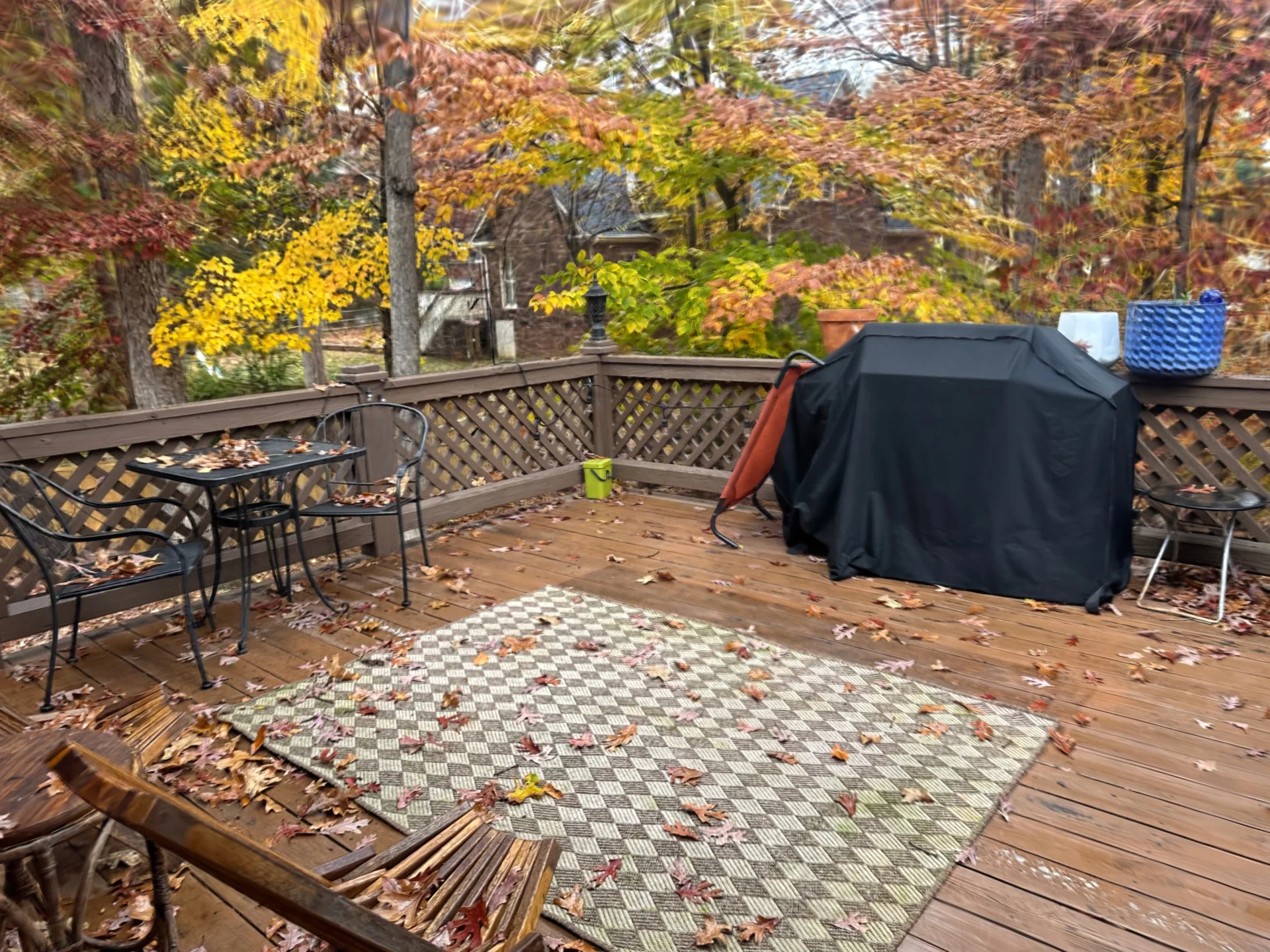
Brush then optimized two million Gaussian splats locally on one RTX 3090, completing 30,000 steps in 20 minutes and 24 seconds. Splats are overlapping, soft-edged elements that reproduce the color and appearance of the photographed scene from different viewpoints. The result retained small details such as fallen leaves on the table and the green watering can beside the grill.
Comparing the training runs
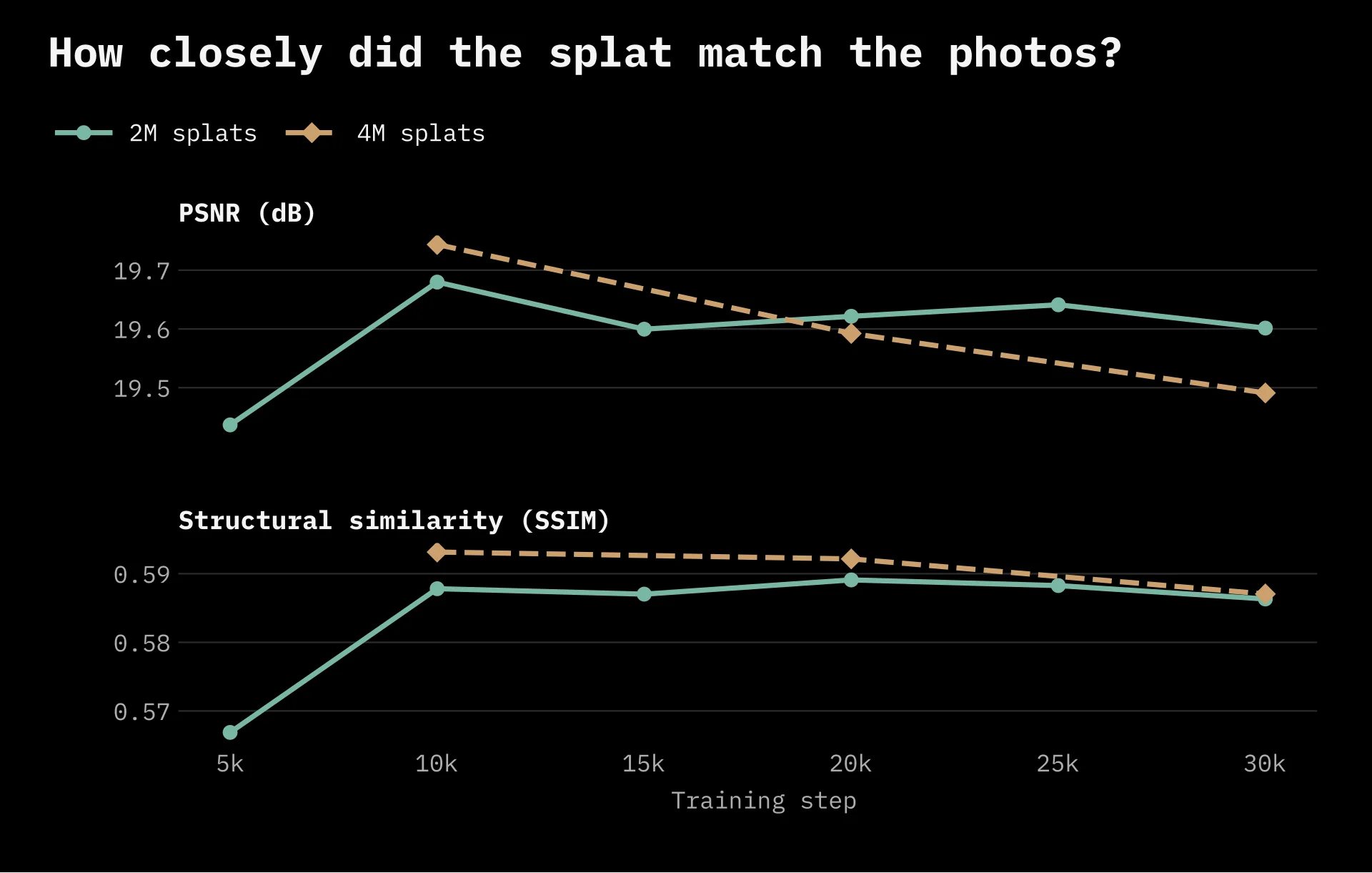
I trained on 173 photos and reserved the same 25 views to evaluate both splat budgets. COLMAP still used all 198 photos to estimate camera positions. The four-million-splat run took 26 minutes and 11 seconds, compared with 20 minutes and 24 seconds for two million. Each configuration ran once; these timings include evaluation and checkpoint writes.
At 30,000 steps, the trainer reported PSNR scores of 19.60 dB for two million splats and 19.49 dB for four million. PSNR measures pixel-level agreement with the reference photos. SSIM, which compares local brightness and contrast patterns, was also close: 0.5863 and 0.5871. Both runs reached their highest recorded PSNR at 10,000 steps. After checking the final images and detail crops, I kept the smaller model for the viewer.
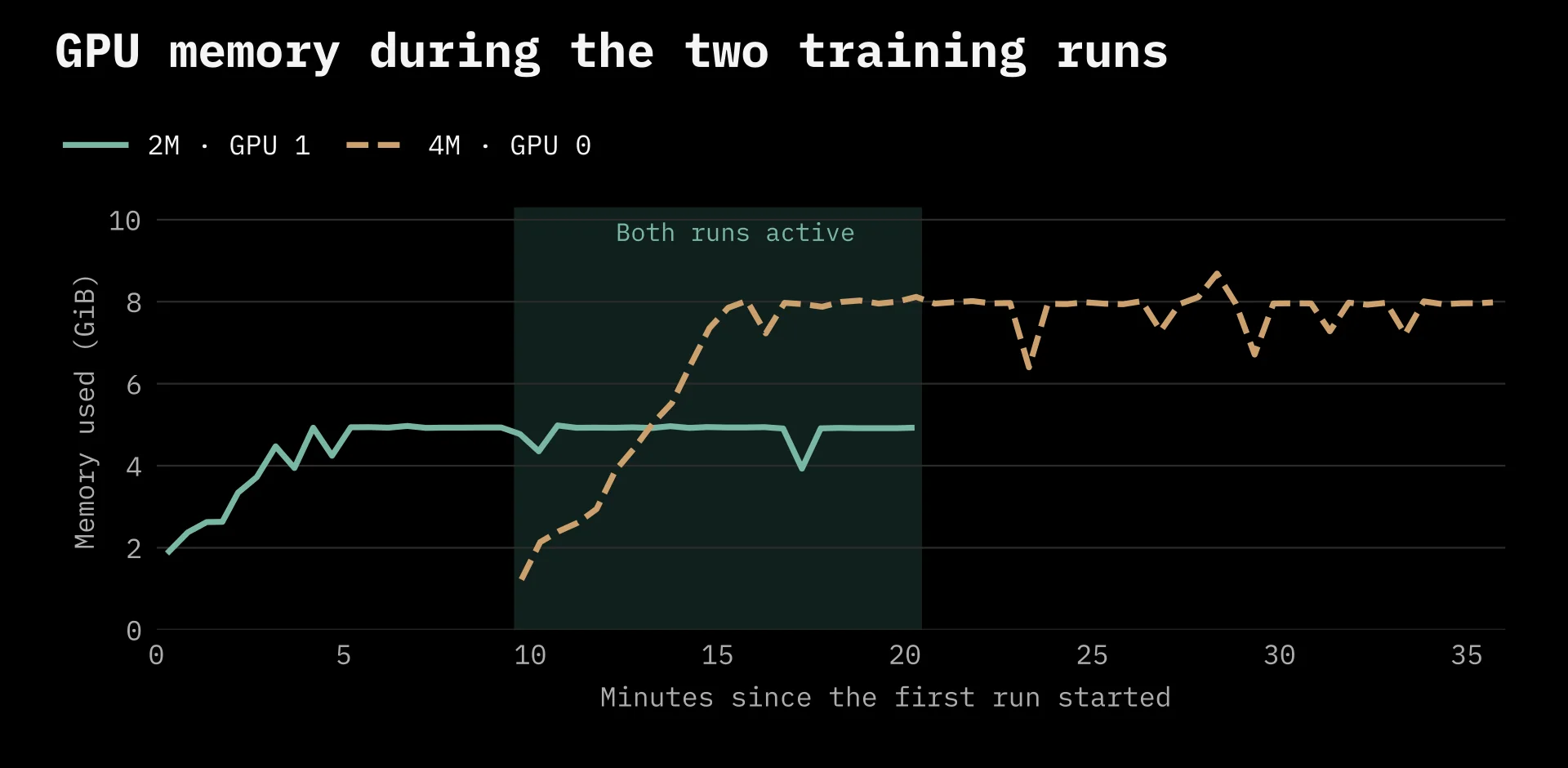
I assigned each run its own 24 GiB RTX 3090, and the two jobs overlapped for 10 minutes and 50 seconds. Peak sampled memory was 5.09 GiB on the two-million-splat card and 9.09 GiB on the four-million-splat card. Those readings cover the whole card, sampled about every ten seconds.
I exported self-contained browser tours using SplatTransform and PlayCanvas. The 472 MB training PLY became a 34.86 MB desktop scene while retaining all two million splats. The phone edition kept 600,000 splats in 10.38 MB, about 70% smaller than the desktop scene. These sizes exclude the viewer code. The benchmark data and chart scripts are in the repository.
Building furniture I could move
For layout experiments, I built a separate Blender model with individual deck boards, lattice, window openings and furnishings. A chair or the covered grill can be selected and moved as a complete object. I used the source photos for materials and kept records of which images supplied each texture.
I also cut two slatted chairs and the small round table out of the trained splat. The sample contains 37,800 Gaussians. You can orbit the chairs in SuperSplat to inspect the slats and the thinner capture coverage behind them, or download the 3.5 MB PLY. The editable Blender chairs were rebuilt as separate mesh objects with their own pivots.
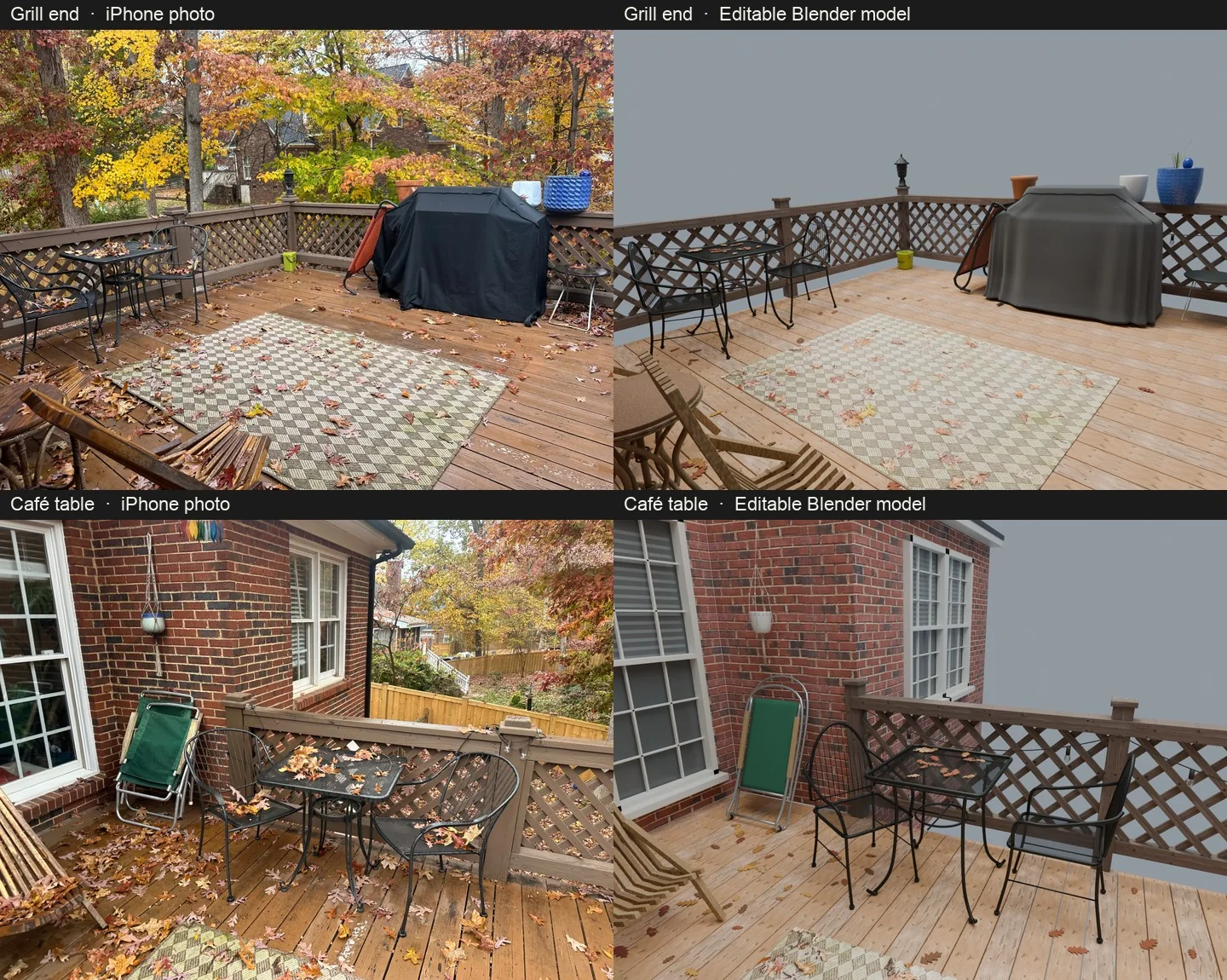
The architectural model contains 372 closed mesh parts. I wrote checks for wall openings and floor coverage; an early pass caught a missing 10.4 cm section of floor beside the chimney. After fixing it, the model passed 39 opening probes and 179 floor probes. Exporting and reimporting the GLB also preserved all 372 parts and eight packed images.
Testing the porch in Unreal
I carried the furnished patio into Unreal as 60 movable actors, with materials, placement data and pivots preserved through the export. I then extended the scene with steps, fences, trees and ground, and added first-person movement. I tested grounded walking, jumping over the closed gate in both directions and collision around the modeled tree trunks.
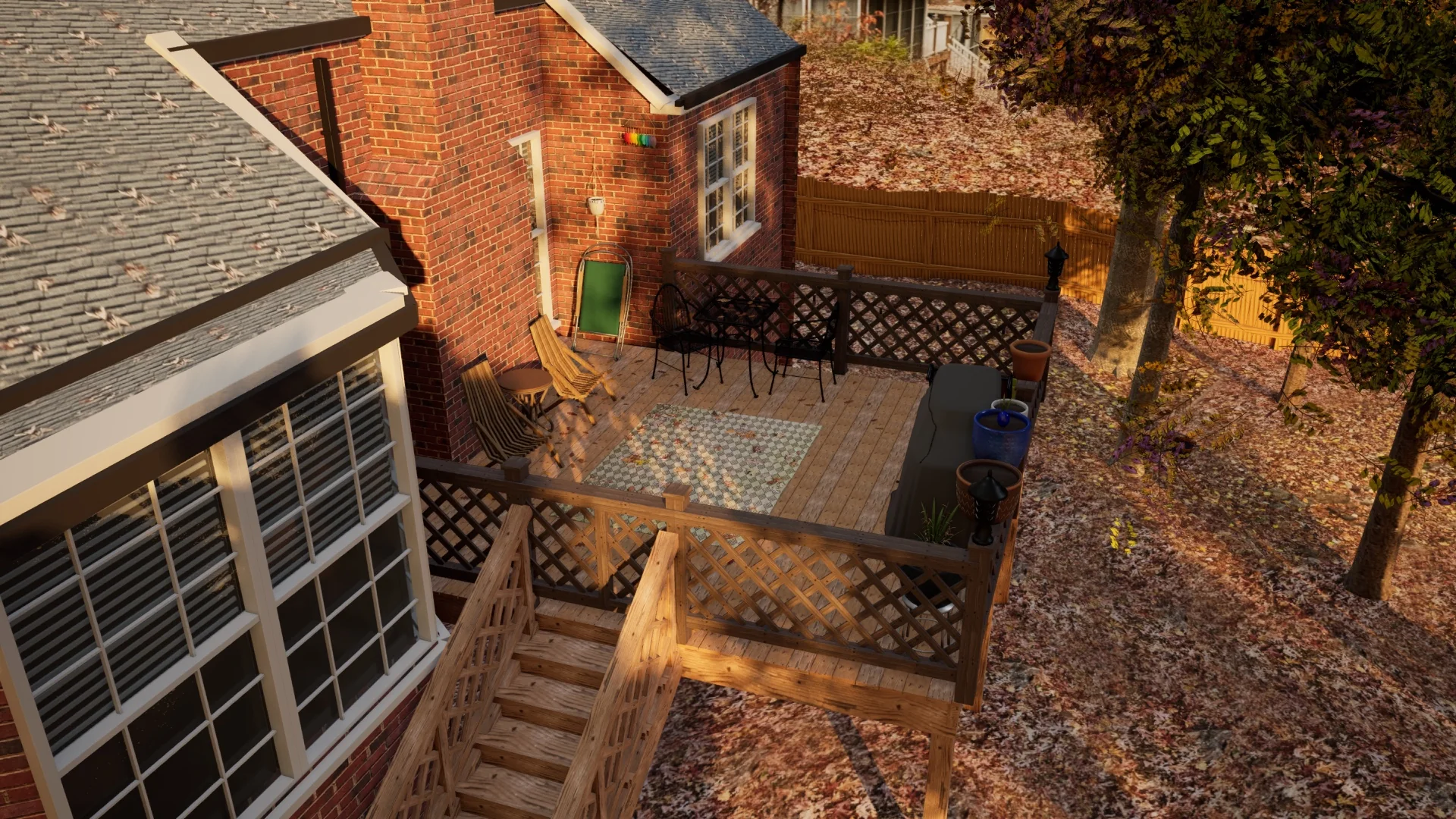
Every source photo was taken from the porch. Hidden sides of objects and much of the surrounding ground therefore needed modeling. Only about 23% of the extended terrain had direct calibrated texture coverage. I used an approximate porch dimension to set scale and use the scene for layout and visual experiments.
Rendering the lighting studies
With the scene saved, I set up 13 camera views and four lighting presets: dawn, midday, golden hour and blue hour. That produced 52 renders at 7680 × 4320 using hardware ray-traced Lumen. The lighting presets are artistic studies, with manually chosen sun angles, atmosphere and exposure.
The Unreal level uses Nanite on 40 meshes. Rendering the walkthrough’s 900 frames at 2560 × 1440 took 6 minutes and 9 seconds, before video encoding.
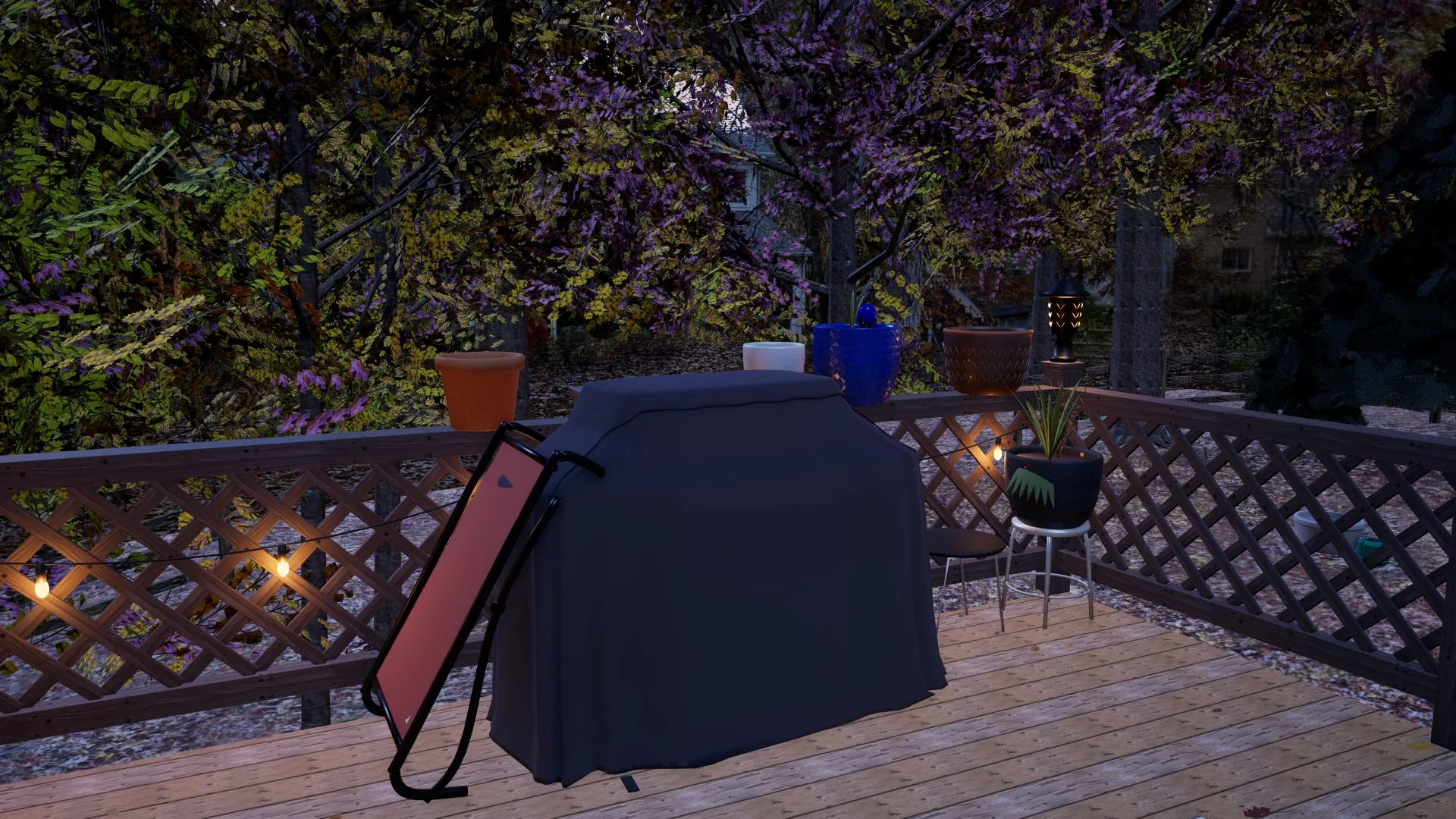
Capturing the series took some additional tooling. Camera switches sometimes stalled at 8K, so I added completion records and a resume path that could run each shot in its own editor process. The packaging checks verify image dimensions, lighting selection and matching camera transforms across the four versions of each view.
Expanding beyond the pilot
The renders here show the porch pilot and its immediate surroundings. I plan to expand the capture to the whole house and yard soon, using new photos to extend the reconstruction and editable models. The saved stages and validation tools give me a starting point for that larger capture.